
Xvid–Private Video Downloader
(Premium Unlocked)Version: 1.1.0
By: SZPY TECH
Size: 30.00 MB
Release Date: 09 Jan 2026
Download APK How to Install APK FileBrand Name : SZPY TECH
App Size : 30.00 MB
Email Id : CloneAppService@gmail.com
Version : 1.1.0
Privacy Policy : Click Here
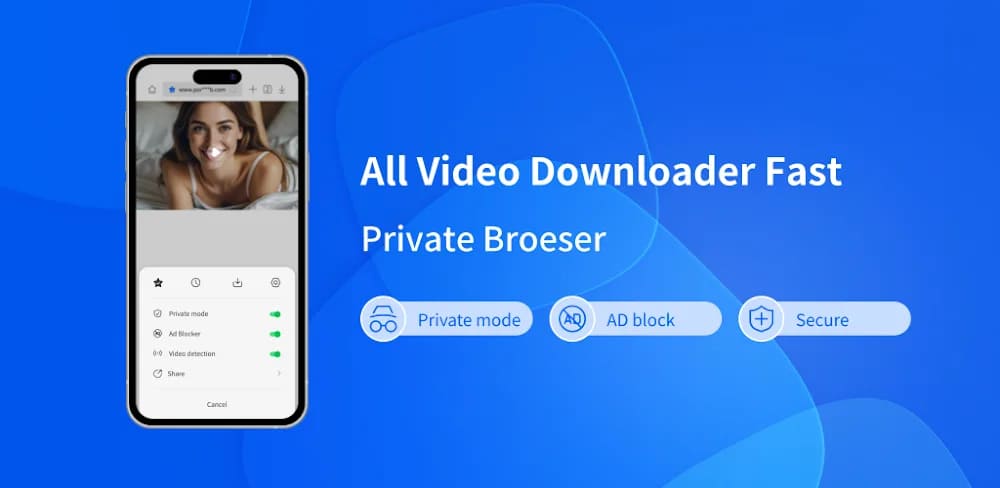
Xvid Browser is a secure and private web browser designed for seamless video downloading. With full-site HD video downloads, built-in ad blocking, and advanced anti-tracking technology, it helps protect your personal data while delivering a smooth browsing experience. The built-in Video Downloader lets you quickly save HD videos from popular video websites and social media platforms. Everything you need is packed into one app. Download your favorite videos in seconds and enjoy them anytime, anywhere—even without an internet connection. Xvid Browser automatically detects videos playing on web pages. Simply tap the Download button to save them instantly. The downloader supports all video formats and allows you to pause or resume downloads at any time. All downloaded files are securely stored in a private album, ensuring complete privacy. You can run multiple download tasks simultaneously in the background at high speed, then watch your videos offline whenever you like.
Frequently Asked Questions (FAQ)
1. What is Xvid Browser?
Xvid Browser is a private web browser that offers fast HD video downloads, built-in ad blocking, and anti-tracking features to help protect your personal information while browsing.
2. What can I download with Xvid Browser?
You can download HD videos and images from major video websites and social media platforms. The app supports all common video formats.
3. Does Xvid Browser support offline viewing?
Yes. Once a video is downloaded, you can watch it anytime without an internet connection using the built-in offline video player.
4. How does the video downloader work?
The downloader automatically detects videos playing on web pages. Simply tap the Download button to save the video. You can also copy a video link and paste it directly into the downloader.
5. How do I download a video step by step?
-
Open Xvid Browser and visit a video website or social network
-
Play the video you want to download
-
Tap the Download button when it appears
-
The video will be saved to your device
6. Can I download multiple videos at the same time?
Yes. Xvid Browser supports multiple simultaneous downloads, all running in the background at high speed.
7. Can I pause or resume downloads?
Yes. The full-featured download manager lets you pause, resume, or delete downloads at any time.
8. Where are my downloaded videos stored?
All downloaded videos are stored in a secure private album, ensuring complete privacy and protection for your files.
9. Does Xvid Browser protect my privacy?
Yes. Xvid Browser includes private mode with no tracking, anti-tracking technology, and a private album to keep your downloaded content secure.
10. Does Xvid Browser block ads?
Yes. The built-in ad blocker removes ads from web pages for a cleaner and faster browsing experience.
11. Can I download videos in HD quality?
Yes. Xvid Browser supports one-click HD video downloads from supported websites.
12. Can I download videos and images?
Yes. The app supports both video and image downloads.
13. Can I move my existing photos and videos into the private album?
Yes. You can move local photos and videos into the private album to hide and protect them safely.
14. Does downloading use mobile data after saving?
No. Once downloaded, you can watch videos repeatedly without using mobile data.
15. Can downloads continue in the background?
Yes. Xvid Browser supports background downloading so you can continue browsing or use other apps while files download.
Popular Apps

.webp)
.webp)








New Apps

.webp)


.webp)

.webp)
.webp)
.webp)
.webp)
.webp)
.webp)
Latest Apps
.webp)
.webp)
.webp)
.webp)
.webp)
.webp)
.webp)
.webp)
.webp)
.webp)
.webp)
Total Reviews: 1
5 ★
4 ★
3 ★
2 ★
1 ★
Top Apps
-
.webp) Endel: Focus, Relax ⭐ 4.7
Endel: Focus, Relax ⭐ 4.7 -
.webp) Zen: Relax, Meditate ⭐ 3.7
Zen: Relax, Meditate ⭐ 3.7 -
.webp) Accupedo Pedometer ⭐ 4.4
Accupedo Pedometer ⭐ 4.4 -
.webp) Doodle Art: Magic Drawing App ⭐ 4.1
Doodle Art: Magic Drawing App ⭐ 4.1 -
.webp) Word Cloud ⭐ 4.1
Word Cloud ⭐ 4.1 -
.webp) PeakFinder ⭐ 4.3
PeakFinder ⭐ 4.3 -
.webp) Pass2U Wallet - Add store card ⭐ 4.0
Pass2U Wallet - Add store card ⭐ 4.0 -
.webp) Travel Tracker - GPS tracker ⭐ 3.8
Travel Tracker - GPS tracker ⭐ 3.8 -
.webp) OruxMaps GP ⭐ 4.0
OruxMaps GP ⭐ 4.0 -
.webp) PeakVisor - 3D Maps & Peaks Id ⭐ 3.9
PeakVisor - 3D Maps & Peaks Id ⭐ 3.9 -
.webp) Planes Live - Flight Tracker ⭐ 4.3
Planes Live - Flight Tracker ⭐ 4.3