.webp)
Time Cut : Smooth Slow Motion
(Pro Unlocked)Version: 2.6.0
By: CHANGPENG
Size: 61.00 MB
Release Date: 14 Feb 2026
Download APK How to Install APK FileBrand Name : CHANGPENG
App Size : 61.00 MB
Email Id : erpengchang@163.com
Version : 2.6.0
Privacy Policy : Click Here
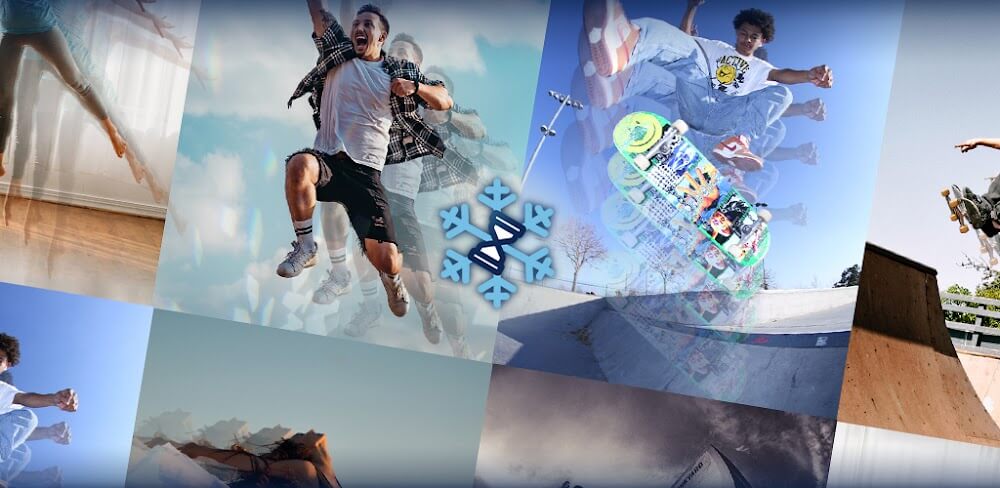
Time Cut – Professional Slow-Motion & Speed Editor Time Cut is a high-end video editor that uses advanced image processing algorithms—Optical Flow and deep-learning RIFE model—to create ultra-smooth slow motion, fast motion, and time-freeze effects. Whether you want motion interpolation, motion blur FX, or frame rate conversion like Twixtor and RSMB on PC, Time Cut lets you edit your videos like a pro.
Time Cut – Frequently Asked Questions (FAQ)
1. Time Cut kya hai?
Time Cut ek professional video editor app hai jo slow motion, fast motion, time-freeze aur motion blur effects create karne ke liye Optical Flow aur deep-learning RIFE model ka use karta hai. Ye frame rate conversion aur velocity edits bhi support karta hai.
2. Kya main slow motion aur fast motion dono create kar sakta hoon?
Haan! Aap ultra slow (1/10x) se fast motion (10x) tak video speed adjust kar sakte ho. Custom speed curves aur time-freeze effects bhi available hain.
3. Motion blur effects kaise kaam karte hain?
Time Cut optical flow technique aur advanced blur options (RSMB style, BCC lens blur, directional blur) use karta hai, jisse slow motion aur action clips cinematic aur smooth lagte hain.
4. Kya frame rate convert kar sakte hain?
Haan. Aap normal videos ko 60/120/240 fps me convert kar sakte ho aur high-frame-rate videos ko 24fps ya 30fps me reduce karke shareable bana sakte ho.
5. Quality Enhancer kya karta hai?
AI-driven HD quality enhancer aapke videos aur images ko improve karta hai, jisse edits professional aur clear dikhte hain.
6. Highlight Moments FX kya hai?
Ye feature aapko slow-motion highlight effects apply karne deta hai, jaise glitter, zoom, flashy lights, aur VSCO-style filters. Aap music add karke viral-ready TikTok, Instagram Reels aur Boomerang videos bana sakte ho.
7. Kya app GoPro, action cam aur drone videos support karta hai?
Haan. Time Cut 1fps se 240fps tak ke videos support karta hai, including action cams, drones aur smartphone clips.
8. Hyperlapse aur timelapse kaise create karein?
Continuous frames ko speed up karke aap hyperlapse aur timelapse videos bana sakte ho, jo smooth aur cinematic lagte hain.
9. Kya beginners bhi use kar sakte hain?
Haan, app simple interface aur pre-made presets provide karta hai, jisse beginners bhi professional-looking slow-mo aur speed edits bana sakte hain.
10. Support aur help kaise milegi?
Kisi bhi question ya suggestion ke liye email karein:
📧 kingsonyoyo@aliyun.com
Popular Apps

.webp)
.webp)








New Apps

.webp)



.webp)
.webp)
.webp)
.webp)
.webp)
.webp)
Latest Apps
.webp)
.webp)
.webp)
.webp)
.webp)
.webp)
.webp)
.webp)
.webp)
.webp)
.webp)
Total Reviews: 1
5 ★
4 ★
3 ★
2 ★
1 ★
Top Apps
-
.webp) Endel: Focus, Relax ⭐ 4.7
Endel: Focus, Relax ⭐ 4.7 -
.webp) Zen: Relax, Meditate ⭐ 3.7
Zen: Relax, Meditate ⭐ 3.7 -
.webp) Accupedo Pedometer ⭐ 4.4
Accupedo Pedometer ⭐ 4.4 -
.webp) Doodle Art: Magic Drawing App ⭐ 4.1
Doodle Art: Magic Drawing App ⭐ 4.1 -
.webp) Word Cloud ⭐ 4.1
Word Cloud ⭐ 4.1 -
.webp) PeakFinder ⭐ 4.3
PeakFinder ⭐ 4.3 -
.webp) Pass2U Wallet - Add store card ⭐ 4.0
Pass2U Wallet - Add store card ⭐ 4.0 -
.webp) Travel Tracker - GPS tracker ⭐ 3.8
Travel Tracker - GPS tracker ⭐ 3.8 -
.webp) OruxMaps GP ⭐ 4.0
OruxMaps GP ⭐ 4.0 -
.webp) PeakVisor - 3D Maps & Peaks Id ⭐ 3.9
PeakVisor - 3D Maps & Peaks Id ⭐ 3.9 -
.webp) Planes Live - Flight Tracker ⭐ 4.3
Planes Live - Flight Tracker ⭐ 4.3