.webp)
TV Cast for Chromecast
(Premium Unlocked)Version: 2.3.4
By: BOOSTVISION
Size: 78.00 MB
Release Date: 12 Jan 2026
Download APK How to Install APK FileBrand Name : BOOSTVISION
App Size : 78.00 MB
Email Id : gp.feedback@boostvision.com.cn
Version : 2.3.4
Privacy Policy : Click Here
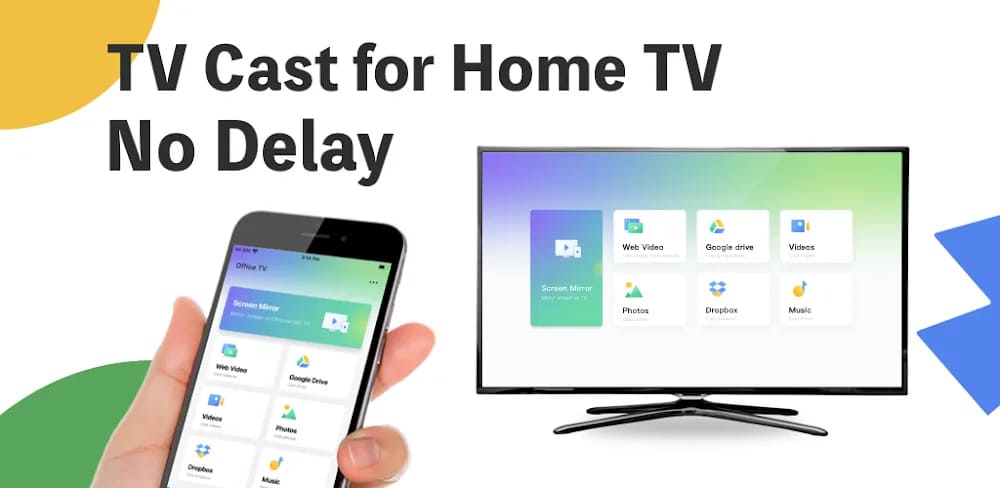
TV Cast | Screen Mirroring & Chromecast Streaming App TV Cast is a Chromecast-enabled app that lets you mirror your phone screen and cast or stream videos, music, and photos to your TV wirelessly. Enjoy your favorite content on a bigger screen—whether it’s web videos, local media, IPTV, live streams, games, or TV shows. With TV Cast, you can screen mirror your mobile device to your home TV using Chromecast or AirPlay, stream online videos, and control your TV remotely—no physical remote required. You can even cast media directly from your phone or tablet to a Mac or Windows PC using a dedicated receiver app.
Frequently Asked Questions (FAQ)
What is TV Cast?
TV Cast is a Chromecast-enabled screen mirroring and media casting app that lets you mirror your phone screen and stream videos, music, photos, IPTV, and web content to your TV or computer wirelessly.
What devices does TV Cast support?
TV Cast works with all Chromecast products, including Chromecast, Chromecast Audio, Android TV, and Google TV with Chromecast built in. It also supports AirPlay-enabled devices and smart TVs from brands such as LG, Samsung, Sony, Roku, Fire TV, Vizio, TCL, Hisense, Philips, Panasonic, Toshiba, Sharp, and more.
Can I mirror my phone screen to my TV?
Yes. You can mirror your entire phone screen to your TV in HD using TV Cast’s screen mirroring feature. AirPlay screen mirroring is also supported.
Can I stream videos from the web?
Yes. TV Cast allows you to stream web videos directly from your mobile device to your TV with just a few taps.
Can I cast local media from my phone?
Absolutely. You can cast photos, videos, and music stored on your phone to your TV, create photo slideshows, and play audio with high-quality sound.
Does TV Cast support IPTV?
Yes. You can add IPTV playlists in m3u or m3u8 format and cast live TV channels to your smart TV.
Can I cast content to a Mac or Windows PC?
Yes. TV Cast supports casting photos, videos, and music from your phone or tablet to a Mac or Windows PC using a receiver app, as long as both devices are on the same Wi-Fi network.
How do I start screen mirroring?
-
Connect your phone and TV to the same Wi-Fi network
-
Open TV Cast and connect to your TV
-
Tap Screen Mirroring and select Start Mirroring
Can I control my TV without a physical remote?
Yes. TV Cast includes a built-in universal remote that lets you play, pause, rewind, fast-forward, and power off compatible TVs.
Does TV Cast support casting from cloud services?
Yes. You can cast media from services like Dropbox and Google Photos directly to your TV.
Is TV Cast suitable for presentations and teaching?
Yes. TV Cast is ideal for business presentations, classroom teaching, fitness training, and content sharing on a large screen.
Does TV Cast support live streaming and gaming?
Yes. You can mirror live streams, mobile games, and apps directly to your TV for a larger viewing experience.
Does TV Cast require an internet connection?
Both your phone and TV (or PC) must be connected to the same Wi-Fi network for casting and screen mirroring to work.
Is TV Cast affiliated with Google or Chromecast?
No. Chromecast is a trademark of Google LLC. TV Cast is not affiliated with or endorsed by Google.
Where can I find the Terms of Use and Privacy Policy?
-
Terms of Use: https://www.boostvision.tv/terms-of-use
-
Privacy Policy: https://www.boostvision.tv/privacy-policy
Where can I get more information about TV Cast?
You can learn more by visiting:
https://www.boostvision.tv/app/tv-cast-for-chromecast
Popular Apps

.webp)
.webp)








New Apps

.webp)


.webp)

.webp)
.webp)
.webp)
.webp)
.webp)
.webp)
Latest Apps
.webp)
.webp)
.webp)
.webp)
.webp)
.webp)
.webp)
.webp)
.webp)
.webp)
.webp)
Total Reviews: 1
5 ★
4 ★
3 ★
2 ★
1 ★
Top Apps
-
.webp) Endel: Focus, Relax ⭐ 4.7
Endel: Focus, Relax ⭐ 4.7 -
.webp) Zen: Relax, Meditate ⭐ 3.7
Zen: Relax, Meditate ⭐ 3.7 -
.webp) Accupedo Pedometer ⭐ 4.4
Accupedo Pedometer ⭐ 4.4 -
.webp) Doodle Art: Magic Drawing App ⭐ 4.1
Doodle Art: Magic Drawing App ⭐ 4.1 -
.webp) Word Cloud ⭐ 4.1
Word Cloud ⭐ 4.1 -
.webp) PeakFinder ⭐ 4.3
PeakFinder ⭐ 4.3 -
.webp) Pass2U Wallet - Add store card ⭐ 4.0
Pass2U Wallet - Add store card ⭐ 4.0 -
.webp) Travel Tracker - GPS tracker ⭐ 3.8
Travel Tracker - GPS tracker ⭐ 3.8 -
.webp) OruxMaps GP ⭐ 4.0
OruxMaps GP ⭐ 4.0 -
.webp) PeakVisor - 3D Maps & Peaks Id ⭐ 3.9
PeakVisor - 3D Maps & Peaks Id ⭐ 3.9 -
.webp) Planes Live - Flight Tracker ⭐ 4.3
Planes Live - Flight Tracker ⭐ 4.3