.webp)
Fonts Type – Fonts Keyboard
(Premium Unlocked)Version: 2.6.230901
By: FONTSTYPE.COM
Size: 15.00 MB
Release Date: 14 Jan 2026
Download APK How to Install APK FileBrand Name : FONTSTYPE.COM
Developer : FontsType.com
App Size : 15.00 MB
Email Id : fontstype@gmail.com
Version : 2.6.230901
Privacy Policy : Click Here
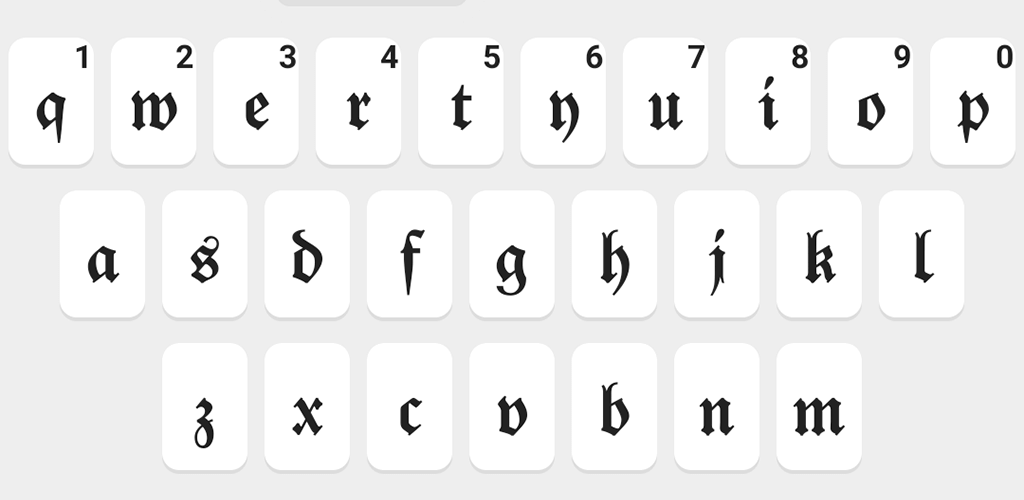
🚀 Generate epic gaming names and stand out from the crowd with a unique, stylish identity. Perfect for popular games like Free Fire, Battle Royale, Apex Legends, PUBG, CS:GO, and more. 🚀 Beautiful keyboard designs featuring dark, light, and vibrant colorful themes. 🚀 Create your own custom keyboard using your favorite photos. 🚀 Fast and lightweight app designed for smooth performance.
Frequently Asked Questions (FAQ)
1. What does this app do?
This app helps you generate cool and unique gaming names and provides customizable keyboard themes, including photo keyboards, to enhance your gaming and typing experience.
2. Which games are supported?
The generated names work with most popular games, including Free Fire, PUBG, Apex Legends, CS:GO, Battle Royale games, and many more.
3. Can I create my own keyboard design?
Yes. You can create a custom keyboard using your own photos, or choose from dark, light, and colorful pre-designed themes.
4. Is the app fast and lightweight?
Yes. The app is optimized to be fast, smooth, and lightweight, ensuring minimal impact on your device’s performance.
5. Why don’t I see all fonts shown in the screenshots?
Some fonts and symbols are supported only on Android 8.0 and above. Devices running older Android versions may not display all available styles.
6. Do all fonts work with every language?
No. Most fonts are designed for Latin-based languages (such as English). Support for non-Latin languages is limited and not guaranteed.
7. Can I use the generated names anywhere else?
Yes. You can use the generated names on games, social media, chat apps, and profiles wherever custom text is supported.
8. Does the app require an internet connection?
Some features may work offline, but an internet connection may be required for updates or certain name styles.
9. Is my data safe?
Yes. The app does not collect personal data. Your photos and keyboard settings stay on your device.
10. How do I set the keyboard after installation?
After installation, open the app and follow the on-screen steps to enable and select the keyboard in your device settings.
Popular Apps

.webp)
.webp)








New Apps

.webp)


.webp)

.webp)
.webp)
.webp)
.webp)
.webp)
.webp)
Latest Apps
.webp)
.webp)
.webp)
.webp)
.webp)
.webp)
.webp)
.webp)
.webp)
.webp)
.webp)
Total Reviews: 1
5 ★
4 ★
3 ★
2 ★
1 ★
Top Apps
-
.webp) Endel: Focus, Relax ⭐ 4.7
Endel: Focus, Relax ⭐ 4.7 -
.webp) Zen: Relax, Meditate ⭐ 3.7
Zen: Relax, Meditate ⭐ 3.7 -
.webp) Accupedo Pedometer ⭐ 4.4
Accupedo Pedometer ⭐ 4.4 -
.webp) Doodle Art: Magic Drawing App ⭐ 4.1
Doodle Art: Magic Drawing App ⭐ 4.1 -
.webp) Word Cloud ⭐ 4.1
Word Cloud ⭐ 4.1 -
.webp) PeakFinder ⭐ 4.3
PeakFinder ⭐ 4.3 -
.webp) Pass2U Wallet - Add store card ⭐ 4.0
Pass2U Wallet - Add store card ⭐ 4.0 -
.webp) Travel Tracker - GPS tracker ⭐ 3.8
Travel Tracker - GPS tracker ⭐ 3.8 -
.webp) OruxMaps GP ⭐ 4.0
OruxMaps GP ⭐ 4.0 -
.webp) PeakVisor - 3D Maps & Peaks Id ⭐ 3.9
PeakVisor - 3D Maps & Peaks Id ⭐ 3.9 -
.webp) Planes Live - Flight Tracker ⭐ 4.3
Planes Live - Flight Tracker ⭐ 4.3