.webp)
Document Scanner - PDF Creator
(Premium Unlocked)Version: 6.8.18
By: LUFICK TECHNOLOGY PRIVATE LIMITED
Size: 62.00 MB
Release Date: 19 Jan 2026
Download APK How to Install APK FileBrand Name : LUFICK TECHNOLOGY PRIVATE LIMITED
App Size : 62.00 MB
Email Id : support@lufick.com
Version : 6.8.18
Privacy Policy : Click Here
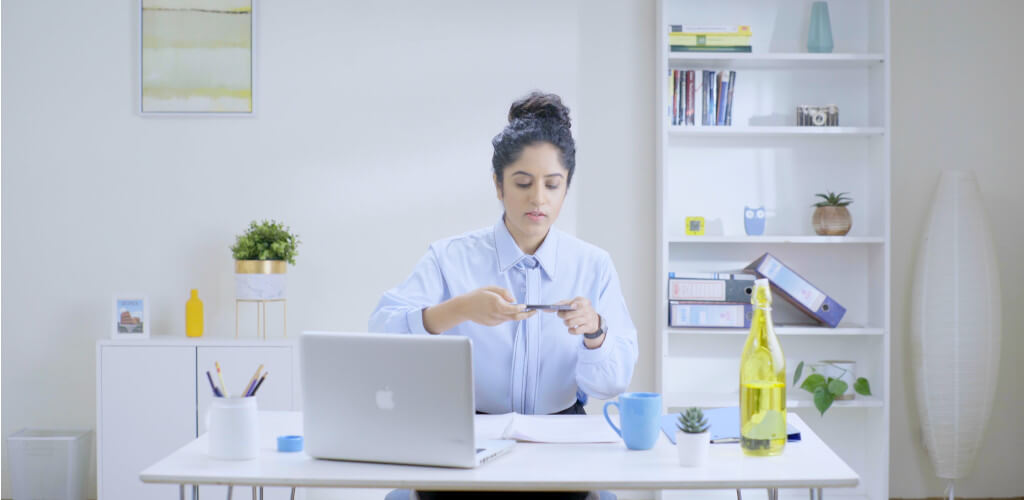
Document Scanner & PDF Creator Document Scanner & PDF Creator is a powerful Indian scanning app that offers more advanced scanning and document management features than most apps on the store. With over 50 tools to edit, enhance, and organize your documents, it’s designed to make scanning fast, simple, and professional. In today’s fast-paced world, you may need to scan multiple documents several times a day. When everything is planned, it’s easy—but unexpected scanning needs can quickly become stressful. That’s where this app comes in. This portable document scanner lets you scan your documents anytime, anywhere, directly from your smartphone. Additional enhancement tools ensure your scanned documents look clean, sharp, and professional every time.
Frequently Asked Questions (FAQ)
1. What is Document Scanner & PDF Creator?
Document Scanner & PDF Creator is a portable scanning app that turns your smartphone into a powerful document scanner. It allows you to scan, enhance, organize, and convert documents into high-quality PDF or image files.
2. What types of documents can I scan?
You can scan all types of documents, including invoices, receipts, notes, contracts, books, whiteboards, IDs, and old paper documents.
3. Does the app work without an internet connection?
Yes. The app works offline for scanning, enhancing, and saving documents. Internet access is only required for cloud uploads or sharing.
4. How does scan enhancement work?
The app automatically detects document edges and enhances clarity. You can also manually adjust brightness, contrast, cropping, and apply filters such as Black & White, Color, Lighten, or Dark modes.
5. Can I convert scanned documents into PDFs?
Yes. All scans can be converted into high-quality PDF files. You can also create PDFs in various sizes, including A1 to A6, letter, postcard, and note formats.
6. Can I organize my scanned documents?
Absolutely. You can organize your scans into folders and subfolders to keep your documents well-structured and easy to find.
7. Does the app support cloud storage?
Yes. You can upload scanned documents to popular cloud services such as Google Drive, Dropbox, and more.
8. Can I share or print scanned documents?
Yes. You can share documents in PDF or JPEG format and print or fax them directly from the app.
9. Does the app support QR code and barcode scanning?
Yes. The app includes built-in QR code and barcode scanners, as well as tools to create and share QR codes.
10. Can the app improve old or faded documents?
Yes. Advanced noise and grain removal filters help restore old or faded documents, making them clearer and more readable.
11. Does the app support image-to-PDF conversion?
Yes. You can select images from your gallery and convert them into PDF documents.
12. Is OCR (text recognition) available?
OCR Text Recognition is an upcoming feature that will allow you to extract, edit, and share text from scanned images.
13. Does the app support scanning in low-light conditions?
Yes. The built-in flashlight feature helps you capture clear scans in low-light environments.
14. Is this app suitable for professional use?
Yes. The app produces high-quality, professional scans suitable for business, education, and personal use.
15. How can I help improve the app?
You can help by participating in app translations or sharing feedback and suggestions through the app.
Popular Apps

.webp)
.webp)








New Apps

.webp)


.webp)

.webp)
.webp)
.webp)
.webp)
.webp)
.webp)
Latest Apps
.webp)
.webp)
.webp)
.webp)
.webp)
.webp)
.webp)
.webp)
.webp)
.webp)
.webp)
Total Reviews: 1
5 ★
4 ★
3 ★
2 ★
1 ★
Top Apps
-
.webp) Endel: Focus, Relax ⭐ 4.7
Endel: Focus, Relax ⭐ 4.7 -
.webp) Zen: Relax, Meditate ⭐ 3.7
Zen: Relax, Meditate ⭐ 3.7 -
.webp) Accupedo Pedometer ⭐ 4.4
Accupedo Pedometer ⭐ 4.4 -
.webp) Doodle Art: Magic Drawing App ⭐ 4.1
Doodle Art: Magic Drawing App ⭐ 4.1 -
.webp) Word Cloud ⭐ 4.1
Word Cloud ⭐ 4.1 -
.webp) PeakFinder ⭐ 4.3
PeakFinder ⭐ 4.3 -
.webp) Pass2U Wallet - Add store card ⭐ 4.0
Pass2U Wallet - Add store card ⭐ 4.0 -
.webp) Travel Tracker - GPS tracker ⭐ 3.8
Travel Tracker - GPS tracker ⭐ 3.8 -
.webp) OruxMaps GP ⭐ 4.0
OruxMaps GP ⭐ 4.0 -
.webp) PeakVisor - 3D Maps & Peaks Id ⭐ 3.9
PeakVisor - 3D Maps & Peaks Id ⭐ 3.9 -
.webp) Planes Live - Flight Tracker ⭐ 4.3
Planes Live - Flight Tracker ⭐ 4.3