.webp)
Coffee Cam-Photo editor,1998
(Premium Unlocked)Version: 3.6.4
By: ANALOG FILM PHOTO & PHOTO EDITOR & CAMERA
Size: 38.00 MB
Release Date: 22 Jan 2026
Download APK How to Install APK FileBrand Name : ANALOG FILM PHOTO & PHOTO EDITOR & CAMERA
Developer : Analog Film Photo & Photo Editor & Camera
App Size : 38.00 MB
Email Id : sorrylife988@yeah.net
Version : 3.6.4
Privacy Policy : Click Here
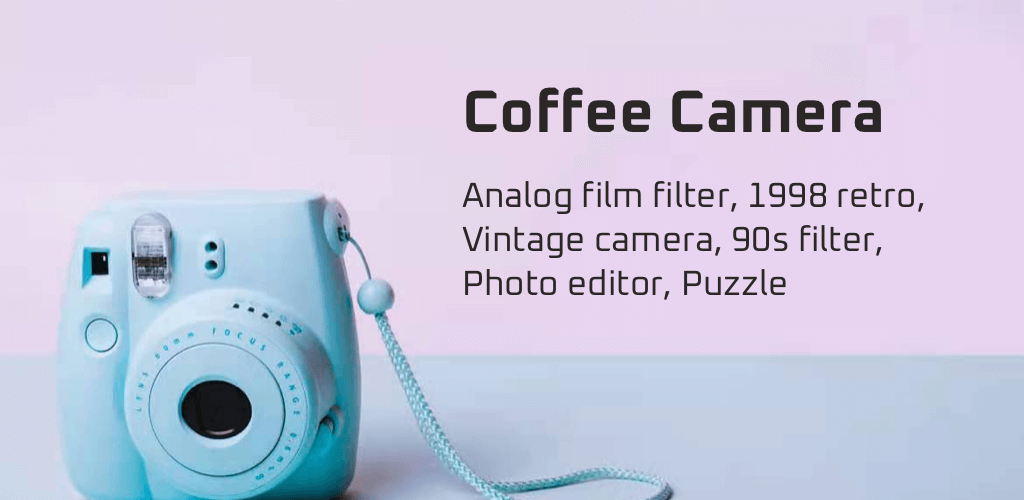
Coffee Cam is your creative space to express your true self and capture beautiful photos—right from your mobile. Take your photography to the next level with high-quality presets, powerful editing tools, and a timeless vintage aesthetic. Create stunning photos with an authentic retro touch and relive the charm of classic film photography.
Frequently Asked Questions (FAQ)
1. What is Coffee Cam?
Coffee Cam is a vintage camera and photo editor app that lets you capture and edit photos with retro, film-style filters, light leaks, grain, and classic camera effects.
2. Is Coffee Cam free to use?
Yes! Coffee Cam is free to download and use. You can access many features at no cost, with an optional one-time premium upgrade available.
3. What does the Premium upgrade include?
The Premium upgrade (one-time purchase) includes:
-
An ad-free experience
-
Access to all filters and effects
-
Unlimited photo editing
-
The ability to create and save custom filter recipes
4. Can I edit photos after taking them?
Absolutely. Coffee Cam supports non-destructive editing, so you can change filters, effects, and adjustments anytime without losing quality.
5. Can I edit photos from my gallery?
Yes. You can edit existing photos from your gallery or take new photos directly using the Coffee Cam camera.
6. Does Coffee Cam offer live filter previews?
Yes. You can preview filters in real time before taking a photo, making it easy to find the perfect vintage look.
7. What kind of filters and effects are available?
Coffee Cam offers:
-
70+ vintage filters
-
Film scratches and dust effects
-
Light leaks
-
Retro masks
-
3D effects like chromatic aberration and glitch
-
Multi-color and film-style effects
8. Can I create my own filters?
Yes. You can create and save your own custom filter recipes and reuse them on other photos.
9. Does Coffee Cam support advanced photo adjustments?
Yes. You can fine-tune your photos using tools like brightness, contrast, sharpness, vignette, HSL, HSV, exposure, white balance, haze, and more.
10. Is Coffee Cam good for selfies?
Definitely. Coffee Cam is one of the top selfie camera apps of 2024, perfect for creating retro, grainy selfies with a classic film look.
11. Can I share my photos on social media?
Yes. You can easily share your edited photos on Instagram, Facebook, WhatsApp, Twitter, Pinterest, Tumblr, and other social platforms.
12. Does Coffee Cam add watermarks to photos?
No. Coffee Cam does not add watermarks to your photos.
13. Is Coffee Cam suitable for beginners?
Yes. The app is designed to be simple and intuitive, making it perfect for beginners while still offering powerful tools for advanced users.
14. Does Coffee Cam work offline?
Most editing features work offline. Some features may require an internet connection for updates or premium verification.
15. Who is Coffee Cam for?
Coffee Cam is perfect for anyone who loves vintage photography, retro aesthetics, and creative photo editing—whether for social media or personal memories.
Popular Apps

.webp)
.webp)








New Apps

.webp)


.webp)

.webp)
.webp)
.webp)
.webp)
.webp)
.webp)
Latest Apps
.webp)
.webp)
.webp)
.webp)
.webp)
.webp)
.webp)
.webp)
.webp)
.webp)
.webp)
Total Reviews: 1
5 ★
4 ★
3 ★
2 ★
1 ★
Top Apps
-
.webp) Endel: Focus, Relax ⭐ 4.7
Endel: Focus, Relax ⭐ 4.7 -
.webp) Zen: Relax, Meditate ⭐ 3.7
Zen: Relax, Meditate ⭐ 3.7 -
.webp) Accupedo Pedometer ⭐ 4.4
Accupedo Pedometer ⭐ 4.4 -
.webp) Doodle Art: Magic Drawing App ⭐ 4.1
Doodle Art: Magic Drawing App ⭐ 4.1 -
.webp) Word Cloud ⭐ 4.1
Word Cloud ⭐ 4.1 -
.webp) PeakFinder ⭐ 4.3
PeakFinder ⭐ 4.3 -
.webp) Pass2U Wallet - Add store card ⭐ 4.0
Pass2U Wallet - Add store card ⭐ 4.0 -
.webp) Travel Tracker - GPS tracker ⭐ 3.8
Travel Tracker - GPS tracker ⭐ 3.8 -
.webp) OruxMaps GP ⭐ 4.0
OruxMaps GP ⭐ 4.0 -
.webp) PeakVisor - 3D Maps & Peaks Id ⭐ 3.9
PeakVisor - 3D Maps & Peaks Id ⭐ 3.9 -
.webp) Planes Live - Flight Tracker ⭐ 4.3
Planes Live - Flight Tracker ⭐ 4.3