.webp)
Audiosdroid Audio Studio
(Premium Unlocked)Version: 3.4.3
By: AUDIOSDROID OU
Size: 44.00 MB
Release Date: 06 Jan 2026
Download APK How to Install APK FileBrand Name : AUDIOSDROID OU
App Size : 44.00 MB
Email Id : admin@audiosdroid.com
Version : 3.4.3
Privacy Policy : Click Here
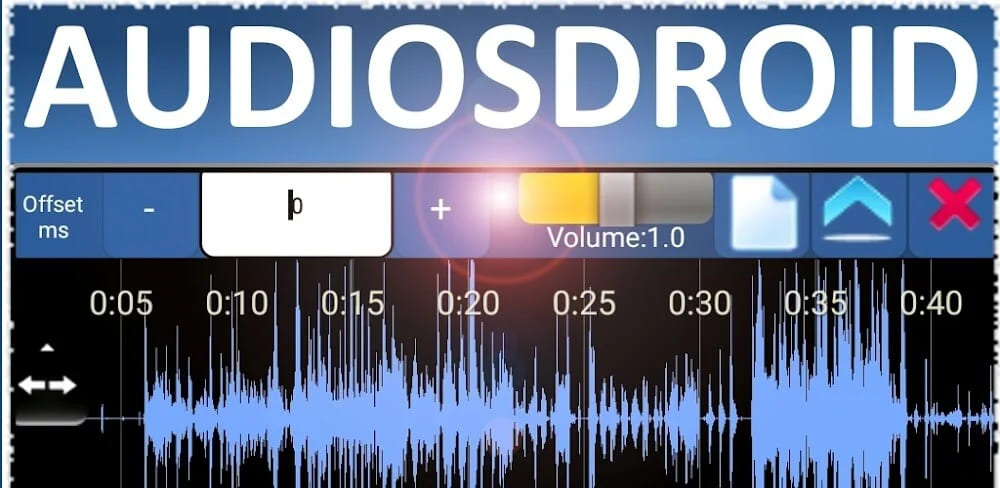
🎧 Audiosdroid Audio Studio A powerful yet easy-to-use digital audio workstation for everyone Looking for a flexible and user-friendly audio editing app? Audiosdroid Audio Studio is the perfect solution for musicians, podcasters, voice artists, and audio enthusiasts. Create, edit, and mix high-quality audio projects effortlessly—right from your device.
❓ Frequently Asked Questions (FAQ)
1. What is Audiosdroid Audio Studio?
Audiosdroid Audio Studio is a powerful yet easy-to-use digital audio workstation (DAW) designed for musicians, podcasters, voice artists, and audio enthusiasts. It allows you to record, edit, mix, and enhance audio projects directly on your device.
2. What audio formats are supported?
Audiosdroid Audio Studio supports MP3, MP4, WAV, AAC, OGG, and AMR formats for importing, editing, and exporting audio.
3. Can I record vocals over music?
Yes. You can import your own music and record your voice over it, or record and mix multiple audio tracks directly within the app.
4. Does the app support karaoke creation?
Yes. The Karaoke effect lets you remove vocals from songs so you can create your own karaoke tracks.
5. What audio effects are included?
The app includes a wide range of professional effects, such as:
-
Equalizer and filters
-
Tempo and pitch shifting
-
Reverb, echo, flanger, gate, and whoosh
-
Silence, fade-in, and fade-out effects
All effects can be customized using the control panel.
6. Can I save my own effect presets?
Yes. You can save and load custom FX presets for quick and consistent audio editing.
7. What export formats and quality options are available?
You can export audio in:
-
MP3 (128 kbps, 160 kbps, 192 kbps, 256 kbps, 320 kbps)
-
WAV format for high-quality audio output
8. Is Audiosdroid Audio Studio easy to use?
Yes. The app features intuitive controls that make it easy to crop audio, apply silence, sync tracks using the time-shift tool, and add fade-in or fade-out effects.
9. Can I customize the app’s appearance?
Yes. Audiosdroid Audio Studio supports RGB color theming, allowing you to choose from over 16 million colors.
10. Can I add background music or sound effects?
Yes. You can add background music or sound effects to your voice recordings to enhance your projects.
11. Can I share my audio projects?
Yes. Finished projects can be shared easily via social media, email, or any app that supports audio files.
12. What is Audiosdroid Audio Studio Pro?
Audiosdroid Audio Studio Pro is the premium version of the app that unlocks all advanced features and provides a completely ad-free experience.
13. What benefits do I get with the Pro version?
With Audiosdroid Audio Studio Pro, you get:
-
Access to all advanced features
-
Removal of all ads
14. How do I upgrade to Pro?
Simply tap “Get Pro” inside the app to activate your license and start using all premium features instantly.
15. Who is Audiosdroid Audio Studio best suited for?
Audiosdroid Audio Studio is ideal for musicians, podcasters, content creators, and anyone looking to produce professional-quality audio projects with ease.
Popular Apps

.webp)
.webp)








New Apps

.webp)


.webp)

.webp)
.webp)
.webp)
.webp)
.webp)
.webp)
Latest Apps
.webp)
.webp)
.webp)
.webp)
.webp)
.webp)
.webp)
.webp)
.webp)
.webp)
.webp)
Total Reviews: 1
5 ★
4 ★
3 ★
2 ★
1 ★
Top Apps
-
.webp) Endel: Focus, Relax ⭐ 4.7
Endel: Focus, Relax ⭐ 4.7 -
.webp) Zen: Relax, Meditate ⭐ 3.7
Zen: Relax, Meditate ⭐ 3.7 -
.webp) Accupedo Pedometer ⭐ 4.4
Accupedo Pedometer ⭐ 4.4 -
.webp) Doodle Art: Magic Drawing App ⭐ 4.1
Doodle Art: Magic Drawing App ⭐ 4.1 -
.webp) Word Cloud ⭐ 4.1
Word Cloud ⭐ 4.1 -
.webp) PeakFinder ⭐ 4.3
PeakFinder ⭐ 4.3 -
.webp) Pass2U Wallet - Add store card ⭐ 4.0
Pass2U Wallet - Add store card ⭐ 4.0 -
.webp) Travel Tracker - GPS tracker ⭐ 3.8
Travel Tracker - GPS tracker ⭐ 3.8 -
.webp) OruxMaps GP ⭐ 4.0
OruxMaps GP ⭐ 4.0 -
.webp) PeakVisor - 3D Maps & Peaks Id ⭐ 3.9
PeakVisor - 3D Maps & Peaks Id ⭐ 3.9 -
.webp) Planes Live - Flight Tracker ⭐ 4.3
Planes Live - Flight Tracker ⭐ 4.3