
App Freezer
(Premium Unlock)Version: 2.0.9
By: MOBIZSYSTEMS
Size: 8.00 MB
Release Date: 21 Dec 2025
Download APK How to Install APK FileBrand Name : MOBIZSYSTEMS
Developer : MobizSystems
App Size : 8.00 MB
Email Id : koffeeteam@gmail.com
Version : 2.0.9
Privacy Policy : Click Here
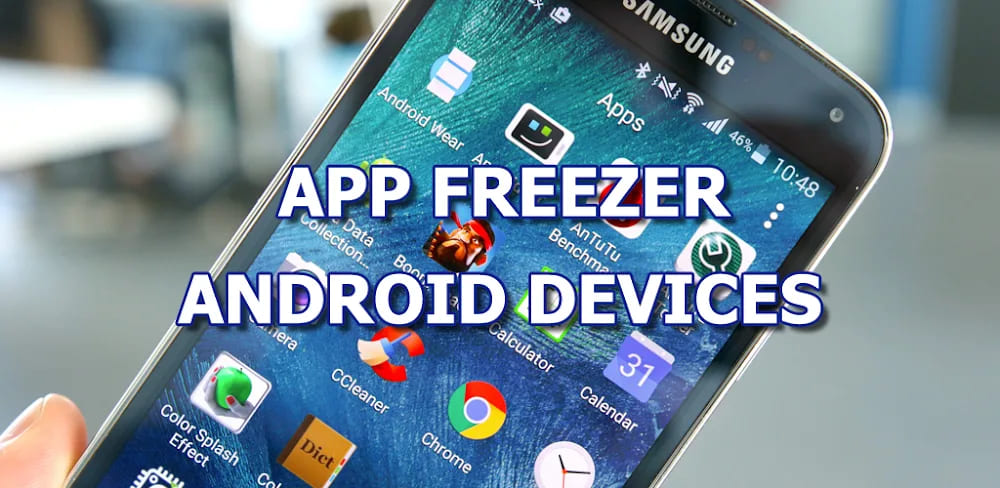
App Freezer helps you freeze (disable) unwanted apps and pre-installed bloatware on Android devices. By disabling unused apps, you can reduce background activity, save battery, free up RAM, and keep your device cleaner and more organized. It supports many Android devices, including Samsung, Sony, Xiaomi, Huawei, LG, HTC, Asus, and more. The app works on both ROOTED and NON-ROOT devices (using Android Device Administrator mode).
App Freezer FAQ
❓ What is App Freezer?
App Freezer lets you freeze (disable) unwanted apps and pre-installed bloatware on Android devices. Freezing unused apps reduces background activity, saves battery, frees RAM, and keeps your device cleaner and more organized.
📱 Which devices are supported?
App Freezer works on many Android devices, including Samsung, Sony, Xiaomi, Huawei, LG, HTC, Asus, and more. It works on both ROOTED and NON-ROOT devices (using Device Administrator mode).
🔑 What permissions are required?
Root access or Device Administrator permission is required to freeze or unfreeze apps. Without these, the app works only as a package information viewer. All permissions are used only for core functionality.
⭐ What are the main features?
-
Freeze / Unfreeze apps or packages – Disable unwanted system apps, pre-installed apps, and bloatware
-
One-tap Freeze / Unfreeze – Manage supported apps with a single tap
-
Export / Import (XML) – Backup and restore frozen app lists via external storage
-
Favorites list – Save frequently used apps for faster access
-
Smart filters – View frozen apps, running apps, or favorite packages
-
Custom widgets – Freeze/unfreeze apps directly from the home screen
-
Fingerprint authentication – Protect the app from unauthorized access
-
Advanced options (Root only) – View app details, launch apps, or uninstall packages
⚙️ How do I set up App Freezer on a non-root device?
For Android 5.0+ without Root, App Freezer can work using Device Administrator mode:
-
Temporarily remove or log out of all accounts
-
Enable USB Debugging
-
Connect your device to a computer with ADB installed
-
Run one of these commands:
adb shell dpm set-device-owner com.wakasoftware.appfreezer/.receiver.DPMReceiver
or
adb shell dpm set-profile-owner com.wakasoftware.appfreezer/.receiver.DPMReceiver
-
Restart the app, then add your accounts back
📘 Full guide: App Freezer Setup
🔐 What special permissions does the app use?
-
WRITE_EXTERNAL_STORAGE: To export/import XML files and backup APKs
-
BIND_DEVICE_ADMIN: To enable freeze/unfreeze on non-root devices
App Freezer does not misuse permissions or access personal data.
🗑️ How do I uninstall App Freezer?
-
Open the app → Menu (⋮) → Uninstall
-
Or via ADB command:
adb shell dpm remove-active-admin com.wakasoftware.appfreezer/.receiver.DPMReceiver
⚠️ Important Notes
-
Always unfreeze all apps before Android system updates (OTA)
-
Be cautious when freezing system-critical apps
-
Rooting may affect warranty status
-
Always back up your data before use
-
The app only collects anonymous crash logs via Google Crashlytics
📩 Support & Feedback
Popular Apps

.webp)
.webp)








New Apps

.webp)


.webp)

.webp)
.webp)
.webp)
.webp)
.webp)
.webp)
Latest Apps
.webp)
.webp)
.webp)
.webp)
.webp)
.webp)
.webp)
.webp)
.webp)
.webp)
.webp)
Total Reviews: 1
5 ★
4 ★
3 ★
2 ★
1 ★
Top Apps
-
.webp) Endel: Focus, Relax ⭐ 4.7
Endel: Focus, Relax ⭐ 4.7 -
.webp) Zen: Relax, Meditate ⭐ 3.7
Zen: Relax, Meditate ⭐ 3.7 -
.webp) Accupedo Pedometer ⭐ 4.4
Accupedo Pedometer ⭐ 4.4 -
.webp) Doodle Art: Magic Drawing App ⭐ 4.1
Doodle Art: Magic Drawing App ⭐ 4.1 -
.webp) Word Cloud ⭐ 4.1
Word Cloud ⭐ 4.1 -
.webp) PeakFinder ⭐ 4.3
PeakFinder ⭐ 4.3 -
.webp) Pass2U Wallet - Add store card ⭐ 4.0
Pass2U Wallet - Add store card ⭐ 4.0 -
.webp) Travel Tracker - GPS tracker ⭐ 3.8
Travel Tracker - GPS tracker ⭐ 3.8 -
.webp) OruxMaps GP ⭐ 4.0
OruxMaps GP ⭐ 4.0 -
.webp) PeakVisor - 3D Maps & Peaks Id ⭐ 3.9
PeakVisor - 3D Maps & Peaks Id ⭐ 3.9 -
.webp) Planes Live - Flight Tracker ⭐ 4.3
Planes Live - Flight Tracker ⭐ 4.3