.webp)
AnExplorer Share File Manager
(Full Paid)Version: 5.8.9
By: DWORKS
Size: 14.00 MB
Release Date: 02 Feb 2026
Download APK How to Install APK FileBrand Name : DWORKS
Developer : DWorkS
App Size : 14.00 MB
Email Id : support@dworks.io
Version : 5.8.9
Privacy Policy : Click Here
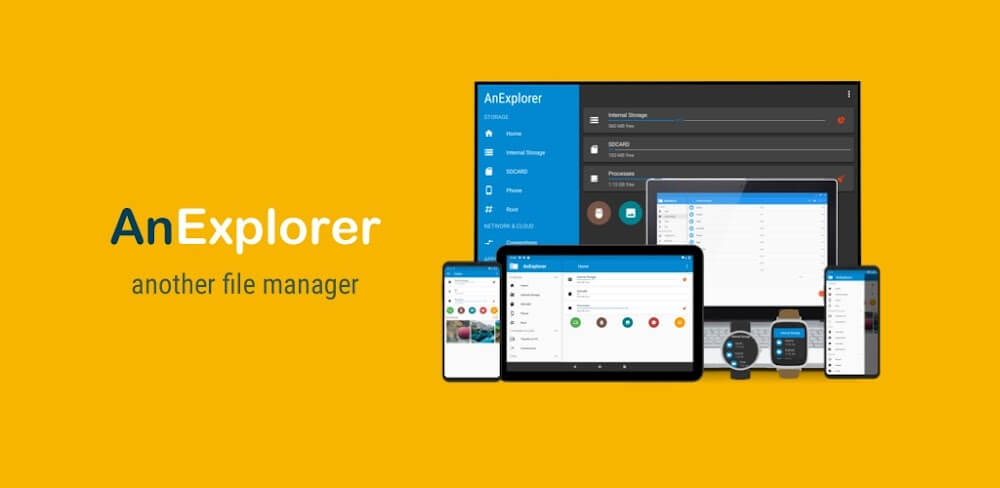
AnExplorer File Manager is a fast, lightweight, and powerful file management app with a clean, intuitive interface inspired by Material You design. It lets you easily manage files across device storage, SD cards, USB drives, network locations, and cloud services—all from one place. AnExplorer supports seamless file transfers over Wi-Fi across the entire Android ecosystem, including Phones, Foldables, Tablets, Watches, TVs, Cars, VR/XR Headsets, Smart Glasses, Desktops, and Chromebooks. It is also the only file manager with full RTL language support and the ability to display folder sizes across all storage types.
Frequently Asked Questions (FAQ)
1. What is AnExplorer File Manager?
AnExplorer File Manager is a fast, lightweight, and powerful file management app that helps you browse, organize, transfer, and manage files across device storage, SD cards, USB drives, network locations, and cloud services.
2. Which devices does AnExplorer support?
AnExplorer works across the entire Android ecosystem, including Phones, Foldables, Tablets, Android TVs, Wear OS Watches, Cars (Android Auto & AAOS), VR/XR Headsets, Smart Glasses, Desktops, and Chromebooks.
3. Can I transfer files wirelessly?
Yes. You can transfer files wirelessly over Wi-Fi between Android devices without using cables or creating a hotspot. You can also access files through a web browser using Device Connect.
4. Does AnExplorer support external storage?
Absolutely. AnExplorer supports SD cards, USB OTG devices, pen drives, and external hard drives, including FAT32 and NTFS file systems.
5. Can I manage cloud and network files?
Yes. You can manage cloud storage such as Box, Dropbox, and OneDrive, as well as connect to FTP, FTPS, SMB, and WebDAV servers to access NAS and shared folders.
6. Does AnExplorer support ZIP and archive files?
Yes. You can view, extract, and create ZIP files, and open archives like RAR, TAR, and 7z directly within the app.
7. Can I play music and videos inside the app?
Yes. AnExplorer includes a built-in music and video player with support for background playback, playlists, casting, and streaming.
8. Can I install APK files using AnExplorer?
Yes. You can install APK, APKM, APKS, and XAPK files, back up installed apps, and batch uninstall applications.
9. Is AnExplorer safe to use?
Yes. AnExplorer processes files locally on your device and does not upload or modify your data without your permission.
10. Does AnExplorer support RTL languages?
Yes. AnExplorer is the only file manager with full support for RTL (Right-to-Left) languages and consistent folder size display across all storage types.
11. Can I use AnExplorer on Android TV and Chromebooks?
Yes. AnExplorer is optimized for Android TV, Google TV, NVIDIA Shield, and Chromebooks, offering a desktop-like file management experience.
12. What is Root File Manager?
Root File Manager is an advanced feature for rooted devices that allows power users and developers to access and manage system folders such as data and cache.
13. Will AnExplorer delete my files automatically?
No. AnExplorer never deletes files without your confirmation. You always stay in full control of your data.
Popular Apps

.webp)
.webp)








New Apps

.webp)


.webp)

.webp)
.webp)
.webp)
.webp)
.webp)
.webp)
Latest Apps
.webp)
.webp)
.webp)
.webp)
.webp)
.webp)
.webp)
.webp)
.webp)
.webp)
.webp)
Total Reviews: 1
5 ★
4 ★
3 ★
2 ★
1 ★
Top Apps
-
.webp) Endel: Focus, Relax ⭐ 4.7
Endel: Focus, Relax ⭐ 4.7 -
.webp) Zen: Relax, Meditate ⭐ 3.7
Zen: Relax, Meditate ⭐ 3.7 -
.webp) Accupedo Pedometer ⭐ 4.4
Accupedo Pedometer ⭐ 4.4 -
.webp) Doodle Art: Magic Drawing App ⭐ 4.1
Doodle Art: Magic Drawing App ⭐ 4.1 -
.webp) Word Cloud ⭐ 4.1
Word Cloud ⭐ 4.1 -
.webp) PeakFinder ⭐ 4.3
PeakFinder ⭐ 4.3 -
.webp) Pass2U Wallet - Add store card ⭐ 4.0
Pass2U Wallet - Add store card ⭐ 4.0 -
.webp) Travel Tracker - GPS tracker ⭐ 3.8
Travel Tracker - GPS tracker ⭐ 3.8 -
.webp) OruxMaps GP ⭐ 4.0
OruxMaps GP ⭐ 4.0 -
.webp) PeakVisor - 3D Maps & Peaks Id ⭐ 3.9
PeakVisor - 3D Maps & Peaks Id ⭐ 3.9 -
.webp) Planes Live - Flight Tracker ⭐ 4.3
Planes Live - Flight Tracker ⭐ 4.3